Writing in-depth, 2,500-word guides is one of the most reliable ways to build organic search authority. But here is the dilemma every content creator faces: nobody reads long-form articles from start to finish anymore.
Modern web users scan. Eye-tracking studies show that visitors spend an average of less than 15 seconds assessing whether an article contains the exact solution they need. If they land on an unbroken wall of text without clear orientation, they bounce back to the search results. That bounce sends a negative engagement signal to Google, which degrades your organic rankings over time.
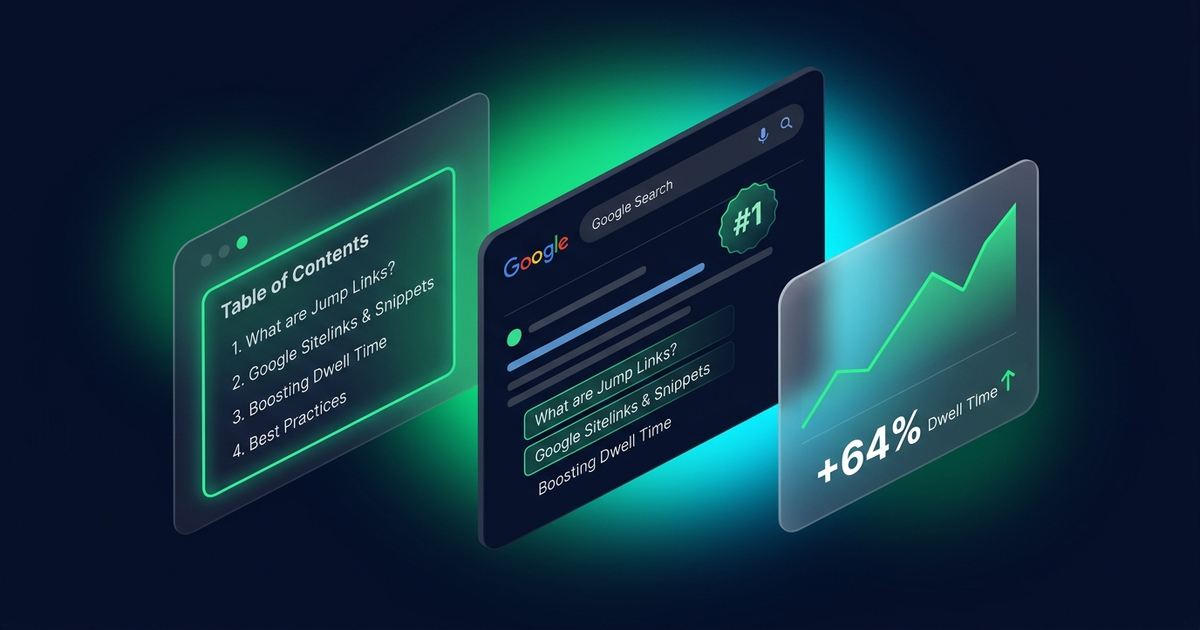
The solution is not writing shorter content. The solution is giving readers an effortless roadmap. In this guide, we will break down how adding a clean table of contents directly improves dwell time, triggers Google search jump-links and rich snippets, and how to implement a zero-bloat solution using WPWing Table of Contents Block.
1. The Scannability Crisis: Why Modern Readers Bounce
When someone types a question into Google, they want a direct answer. They are not reading your post like a novel; they are hunting for specific data points, code snippets, or actionable steps.
Without a structured navigation menu at the top of the article, readers experience immediate cognitive fatigue. Scrolling past seven introductory paragraphs to locate section four feels like work. A table of contents immediately reassures the visitor that your post covers their exact question, turning a quick bounce into an engaged reader.
2. How a Table of Contents Directly Increases Dwell Time
Dwell time measures the duration between a user clicking a search result and returning to the SERP (Search Engine Results Page). A longer dwell time signals to Google’s ranking algorithms that your page satisfied the user’s search intent.
Immediate Proof of Value
A table of contents acts as an executive summary. Within 3 seconds of loading, readers see your full outline, proving that your guide is thorough, professional, and trustworthy.
Frictionless Multi-Section Exploration
Smooth anchor navigation encourages readers to jump between sections, view related subheadings, and stay on the page longer rather than abandoning their research.
3. How Google Uses Anchor Links for SERP Jump-Links
Beyond human user experience, a table of contents offers significant technical SEO advantages. When you structure your content with proper H2/H3 headings and corresponding anchor tags (id="section-name"), Google crawlers index those anchors individually.
“Jump to” Links in Search Results
Have you ever noticed Google search snippets that include sub-links beneath the description stating “Jump to: Section Name”? Google generates these organically when an article has clear heading IDs and an internal anchor table. This makes your search result occupy up to 30% more vertical screen space, drastically increasing organic click-through rates (CTR).
Passage Ranking and Featured Snippets
Google’s passage ranking algorithm isolates specific sections of a long page to answer niche search queries. When your headings are marked with semantic IDs and referenced in a top-level directory, Google can easily parse the exact context of each passage and pull it into position zero (the Featured Snippet box).
4. The Performance Trap: Why Legacy TOC Plugins Hurt Core Web Vitals
While the SEO benefits of a table of contents are undisputed, many WordPress site owners inadvertently sabotage their site speed by installing outdated plugins.
- Heavy jQuery Dependencies: Legacy plugins like Easy Table of Contents were built over a decade ago. Many still load outdated jQuery scripts and inline CSS styles across every page of your site, even on pages that do not have a table of contents.
- Negative Impact on INP and LCP: Heavy client-side JavaScript execution creates main-thread bottlenecks, degrading your Interaction to Next Paint (INP) score and delaying Largest Contentful Paint (LCP).
- Database Query Overhead: Some plugins perform complex regex string replacements on post content dynamically on every page load, generating unnecessary server load.
5. The WPWing Approach: Native Gutenberg with Zero JavaScript by Default
When developing WPWing Table of Contents Block, our engineering priority was zero bloat and pure block-editor performance:
- Zero JavaScript by Default: The block generates valid, semantic HTML anchor links entirely server-side in PHP. In standard mode, it loads zero external JavaScript files on your frontend.
- Ultra-Lightweight Extras: If you enable interactive features (such as collapsible toggles or smooth-scrolling offsets), the plugin injects only a tiny inline script without any external library dependencies.
- Full Site Editing (FSE) & Native Styling: Built specifically for modern block themes. You can wrap it in standard Gutenberg Group blocks, apply background colors, customize typography, and adjust padding natively.
- Automated Heading Detection: Automatically scans your content for H2 through H6 headings in real time, eliminating the tedious chore of typing manual anchor tags.
6. 4 Rules for Structuring Headings for Maximum SEO Impact
To ensure your table of contents delivers both exceptional user experience and search engine rankings, follow these four foundational rules:
- Maintain Strict Hierarchical Order: Always follow a logical order (H2 for main sections, H3 for sub-points). Never skip heading levels (e.g., jumping from H2 directly to H4) as this confuses screen readers and search crawlers.
- Front-Load Keywords Naturally: Readers scan the first 2 or 3 words of each heading in the table of contents. Keep headings descriptive and place target search terms near the beginning.
- Keep Anchor IDs Clean and Hyphenated: Use clear, lowercase, hyphen-separated IDs (e.g.,
id="how-to-install") rather than messy autogenerated strings. - Use Ordered Lists for Step-by-Step Guides: In tutorial articles, configure your TOC block to render as an ordered list (
<ol>) to clearly convey a sequential process to readers.
7. Frequently Asked Questions (FAQ)
Does having a table of contents guarantee Google will display jump-links?
Google decides algorithmically when to display sitelinks and jump-to links based on search intent. However, providing valid anchor IDs and a structured table of contents gives Google the exact semantic markup required to generate them.
Should I include a table of contents on every blog post?
For short posts under 600 words, a table of contents is usually unnecessary. For comprehensive articles containing three or more headings (especially guides over 1,000 words), a table of contents significantly improves readability and dwell time.
Can I prevent fixed site headers from overlapping anchor headings when users jump?
Yes. WPWing Table of Contents Block includes an integrated scroll offset setting that automatically applies scroll-margin-top CSS to your headings, ensuring headings land cleanly beneath sticky headers.
Boost Your Dwell Time and Organic CTR Today
Improving content engagement does not require redesigning your entire website. By adding a clean, accessible table of contents, you immediately give readers the scannable structure they demand while providing Google with clear anchor points for rich search snippets.
Ready to upgrade your content readability with zero bloat? Download WPWing Table of Contents Block free from WordPress.org, or explore all features on the official WPWing product page today.