
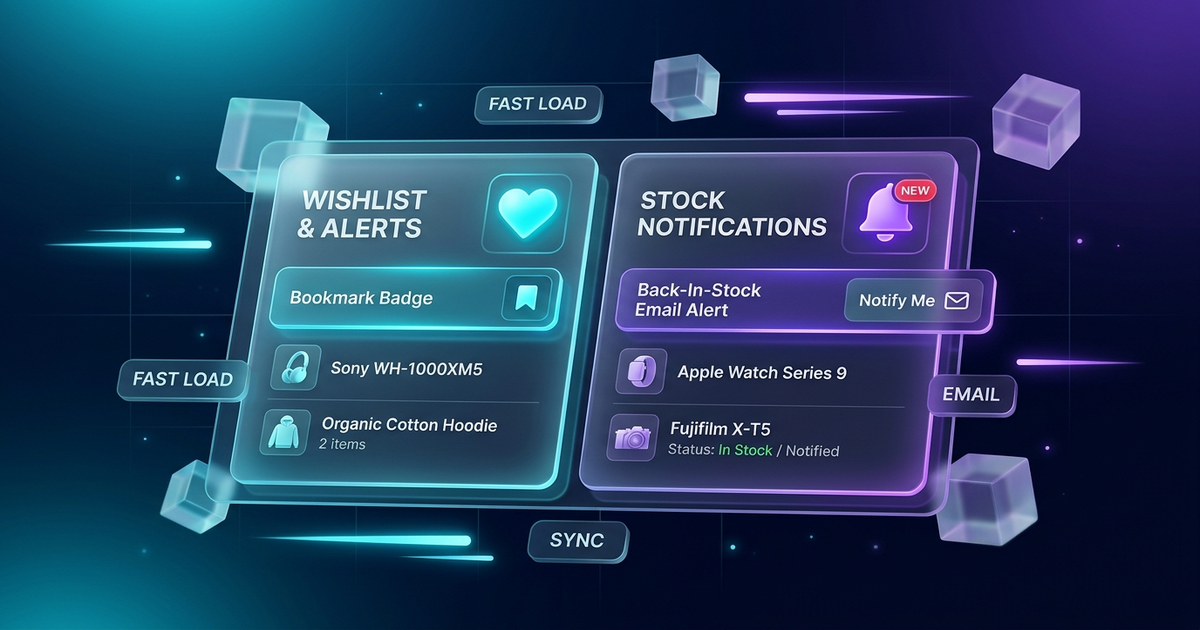
If you audit the plugin lists of modern WooCommerce stores, you will almost always find two features installed: a shopper wishlist (allowing visitors to save products for later) and a back-in-stock waitlist (capturing emails on sold-out products). Yet, virtually every store owner achieves this by installing two completely separate, heavy plugins.
The result? Double the JavaScript files loaded on every product page, bloated database tables, conflicting admin menus, and aggressive upgrade banners cluttering your WordPress dashboard. That is why we engineered WPWing Smart Wishlist & Product Waitlist for WooCommerce: the first high-performance, 2-in-1 conversion plugin designed from the ground up to solve both needs in a single lightweight footprint.
In this product spotlight, we will dive under the hood to explore the software architecture, database design, and email deliverability engineering that make WPWing the modern alternative to legacy tools.
1. The Two-Plugin Problem: Why Running Separate Plugins Hurts Your Store
Historically, merchants had no choice but to assemble their post-launch tech stack from fragmented plugins. Typically, an online retailer installs a legacy wishlist plugin (such as YITH or TI Wishlist) alongside an independent back-in-stock notifier plugin. While functional on day one, this approach introduces significant architectural friction as your store scales:
- Frontend Asset Duplication: Each plugin registers and enqueues its own stylesheets, JavaScript files, and AJAX endpoints, adding unnecessary HTTP requests and render-blocking delays.
- Admin Clutter & Maintenance: Two separate admin settings menus, two update schedules to track, and double the risk of PHP version compatibility conflicts.
- Fragmented User Experience: If a saved wishlist item goes out of stock, legacy systems cannot communicate across plugins, forcing the customer to manually locate and re-enter their email address into a second form.
2. The 2-in-1 Architecture: One Install, Shared Efficiency
WPWing Smart Wishlist & Product Waitlist unifies both conversion tools into one cohesive codebase:
One Single Asset Pipeline
A single, lightweight asset file handles both wishlist toggles and waitlist forms using vanilla JavaScript. Zero jQuery dependencies mean instantaneous response times and zero Core Web Vitals penalties.
Unified Admin Management
Manage all saved items and subscriber queues from a single dashboard under WPWing → Settings. No conflicting screens, no scattered settings.
3. Database Scalability: Why We Avoid Post-Meta Bloat
Many WordPress developers take the shortcut of storing user lists and saved items directly inside the standard wp_postmeta or wp_usermeta tables. On an active store with thousands of shoppers, this practice causes massive database fragmentation and slows down everyday product catalog queries.
WPWing is engineered with dedicated, custom database tables specifically indexed for high-volume reads and writes. Wishlist items and waitlist subscriber queues are queried in sub-milliseconds without inflating your primary WordPress tables or generating orphaned metadata.
4. Asynchronous Queue Processing via Action Scheduler
What happens when you restock a popular item that has 300 customers on its waitlist? In traditional waitlist plugins, saving the product triggers a synchronous PHP loop that attempts to dispatch 300 individual emails immediately. If the server times out or hits an execution limit, the save fails, and half the customers never receive their alerts.
WPWing completely eliminates this failure point by utilizing Action Scheduler (the battle-tested background queue engine bundled with WooCommerce):
- When product inventory changes, WPWing instantly logs the event and schedules email batches in the background.
- Your admin interface remains lightning-fast, and product saves complete in milliseconds.
- Emails are delivered reliably in paced batches without overwhelming your SMTP server or triggering email provider rate limits.
5. Deliverability by Default: RFC 8058 One-Click Unsubscribe
In 2024, major inbox providers like Google (Gmail) and Yahoo introduced strict authentication and deliverability mandates for commercial senders. One key requirement is the inclusion of functional List-Unsubscribe email headers.
Every restock alert generated by WPWing complies with the RFC 8058 standard. Customers can unsubscribe with a single click directly from their email client header, protecting your domain reputation, reducing spam complaints, and keeping your store in full compliance with modern email deliverability rules.
6. The Clean Admin Philosophy: No Ads, No Upsell Nags
Few things frustrate store owners more than activating a free plugin only to be bombarded with full-width promotional banners, fake discount countdown timers, and greyed-out features teasing a “Pro” upgrade. WPWing operates on a strict zero-nag standard:
- 100% Free Core Power: Guest wishlists, variation-aware waitlists, demand analytics, and CSV exports are included in the free release.
- Zero Dashboard Banners: No advertisements, no affiliate push notifications, and no tracking scripts running in the background.
- Zero-Config Activation: Activate the plugin, and both the wishlist toggle button and the waitlist opt-in form are immediately live on your product pages.
7. Built for Developers: Clean Action Hooks & Filters
If you run a WordPress agency or build custom WooCommerce stores, WPWing provides extensive action and filter hooks to customize functionality without modifying core files:
/**
 * Example: Customizing the Restock Email Message Body
 */
add_filter( 'wpwing_wl_restock_email_message', function( $message, $product, $subscriber_email ) {
    $custom_notice = "\n\nNote: VIP club members receive free shipping on this restock batch!";
    return $message . $custom_notice;
}, 10, 3 );
Other granular developer hooks include wpwing_wl_restock_queue_entries, wpwing_wl_before_send_restock_email, wpwing_wl_product_stock_changed, and wpwing_wl_wishlist_item_added.
8. Frequently Asked Questions (FAQ)
What happens to a guest shopper’s wishlist when they log in later?
WPWing automatically merges the guest cookie session with the authenticated customer account upon login or registration. No saved items are lost, and no duplicate entries are created.
Does the waitlist work seamlessly with variable products?
Yes. The waitlist form is dynamically variation-aware. It updates in real time based on the customer’s dropdown selections, displaying only when a specific out-of-stock attribute combination (such as Size XL / Navy Blue) is chosen.
Can I export waitlist subscribers to my email marketing tool?
Yes. Under WPWing → Waitlist, you can filter subscribers by product and status, and export the entire subscriber list with a single click to CSV for tools like Klaviyo, Mailchimp, or Brevo.
Upgrade Your Store with the Modern 2-in-1 Solution
Eliminate unnecessary plugin bloat, protect your store speed, and give your customers a seamless save-for-later and back-in-stock experience.
Download WPWing Smart Wishlist & Product Waitlist for WooCommerce free from WordPress.org, or visit the official WPWing product landing page to learn more.